
Product Description
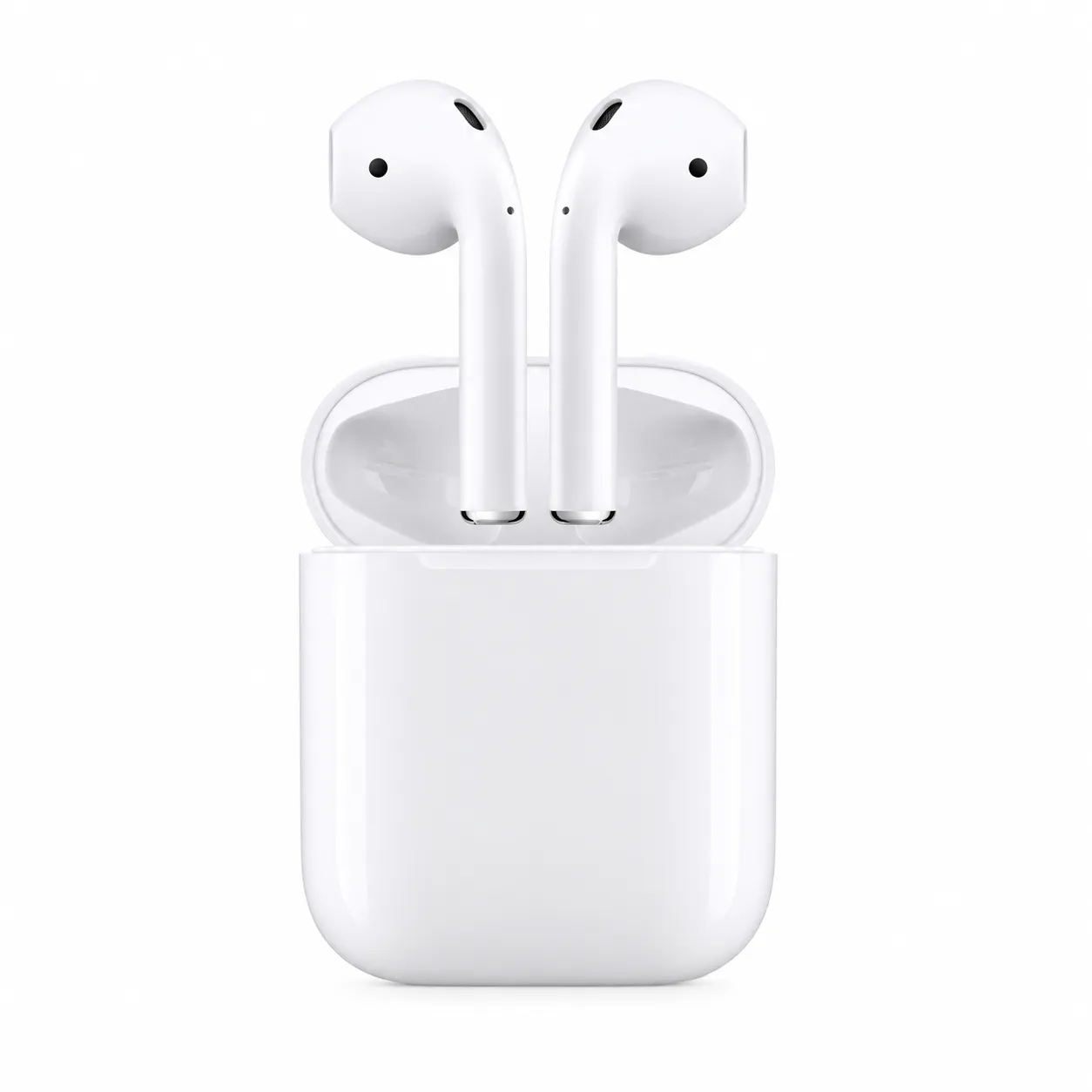
The i12 TWS Wireless Bluetooth Earphones provide an easy and affordable true-wireless listening experience. Their lightweight semi-in-ear shape is designed to rest naturally in the ears without silicone tips, making them comfortable for casual listening, phone calls and video streaming.
Bluetooth 5.0 supports a stable connection with compatible smartphones, tablets, laptops and other Bluetooth-enabled devices. After completing the first pairing, the earphones automatically reconnect to the previously connected device when removed from the charging case.
Built-in touch controls allow users to manage music, answer calls, change tracks, adjust volume and activate a compatible voice assistant. Each earphone includes an integrated microphone, allowing either side to be used independently for hands-free calls.
The rechargeable case stores, protects and charges both earphones between listening sessions. Common i12 models provide approximately 2–3 hours of music playback per charge, while the case supplies additional recharges when away from a power source. The available i12 TWS user guide confirms Bluetooth 5.0, touch controls, built-in microphones, automatic power-on and automatic pairing.
Key Features
- True Wireless Stereo technology
- Bluetooth 5.0 connectivity
- Separate left and right wireless channels
- Clear stereo sound for music and videos
- Built-in microphones for hands-free calls
- Touch-sensitive multifunction controls
- Automatic power-on when removed from the case
- Automatic pairing after initial setup
- Automatic reconnection to the last paired device
- Lightweight semi-in-ear design
- Rechargeable earphones
- Portable magnetic charging case
- Single-earphone and dual-earphone operation
- Voice-assistant support
- Compatible with Android, iOS, Windows and other Bluetooth devices
Technical Specifications
| Specification | Details |
|---|---|
| Product model | i12 TWS |
| Product type | True Wireless Stereo earphones |
| Bluetooth version | Bluetooth 5.0 |
| Wireless range | Approximately 10 metres |
| Wearing style | Semi-in-ear |
| Earphone battery | Approximately 30–35mAh per earphone |
| Charging-case capacity | Approximately 300–350mAh |
| Music time | Approximately 2–3 hours per charge |
| Call time | Approximately 3–4 hours |
| Standby time | Up to approximately 60 hours |
| Earphone charging time | Approximately 1 hour |
| Case charging time | Approximately 1–2 hours |
| Controls | Touch-sensitive controls |
| Microphone | Built into both earphones |
| Audio operation | Stereo or single-earphone mode |
| Charging method | Rechargeable carrying case |
| Charging input | Lightning-style wired charging input |
| Supported profiles | HFP, HSP, A2DP and AVRCP |
| Compatibility | Bluetooth-enabled phones, tablets and computers |
Battery life and connection range depend on volume, calling, device settings, distance and wireless interference.
Touch-Control Functions
Common i12 control functions include:
- Tap once to play or pause music
- Tap once to answer or end a call
- Press and hold to reject an incoming call
- Double-tap to change tracks
- Triple-tap to adjust volume
- Press and hold to activate the connected device’s voice assistant
Control combinations can vary between i12 production batches. Follow the supplied manual to confirm the controls assigned to each side.
Pairing Instructions
- Charge both earphones and the case before first use.
- Remove both earphones from the charging case.
- Wait a few seconds for the left and right sides to connect automatically.
- Open the Bluetooth settings on your phone or other device.
- Select i12, i12 TWS or the displayed product name.
- Confirm the Bluetooth connection.
- Play audio to check that sound is coming through both sides.
- Return the earphones to the charging case after use.
After the initial setup, the earphones should reconnect automatically whenever they are removed from the case.
Single-Earphone Mode
Either side can be used independently for calls or audio.
- Leave one earphone inside the case.
- Remove the earphone you want to use.
- Connect it through the device’s Bluetooth settings.
- Return it to the case when finished.
This mode is helpful when you need to hear your surroundings or want to extend total listening time.
Charging Instructions
Charging the Earphones
- Place each earphone inside its correct charging slot.
- Ensure the charging contacts are clean and correctly aligned.
- The earphones begin charging when properly positioned.
- Keep the case charged so it can recharge them while travelling.
Charging the Case
- Connect the supplied cable to the case’s charging input.
- Connect the other end to a suitable 5V USB power source.
- Allow approximately 1–2 hours for charging.
- Disconnect the cable after charging is complete.
Avoid incompatible fast chargers unless their output is confirmed as suitable for the product.
Reset and Connection Troubleshooting
If only one earphone connects or the two sides do not synchronize:
- Delete or forget i12 TWS from the device’s Bluetooth settings.
- Turn off Bluetooth on the connected device.
- Place both earphones inside the charging case.
- Remove them together.
- Press and hold both touch areas until their indicators flash.
- Wait for the two sides to synchronize.
- Turn Bluetooth back on.
- Select i12 TWS and reconnect.
Reset steps can differ between batches. Consult the supplied manual if this procedure does not work.
Compatibility
The i12 TWS can connect with most Bluetooth-enabled devices, including:
- Android smartphones and tablets
- iPhones and iPads
- Windows laptops and desktop computers with Bluetooth
- Mac computers
- Smart televisions with Bluetooth-audio support
- Bluetooth-enabled music players
Reviews
There are no reviews yet.